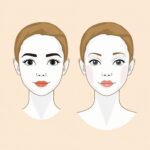
Learn how face calculators use inputs and analysis to generate practical results, helping you understand what the tools assess and how to use them.
Table of Contents
Face calculators are online tools that assess facial proportions or visible characteristics. Depending on the tool, they may identify a likely face shape compare measurements from different areas of the face, or generate appearance-related guidance for styling decisions.
These tools can offer a convenient starting point when choosing hairstyles, glasses, makeup approaches or other personal style options. However, their results are estimates based on the information provided and the calculator’s own criteria. They are not medical assessments, scientific conclusions, or permanent labels. Understanding the inputs, analysis methods, and limits behind a result can help you decide whether a free face calculator is useful for your intended purpose.
What a Face Calculator Is Designed to Do
The term “face calculator” covers several tools with different purposes. Many are designed to suggest a likely face shape, which can provide a starting point for appearance related choices such as selecting a hairstyle, glasses frame, makeup placement, or overall styling approach. These tools generally focus on the balance of visible facial areas rather than on a single feature.
Other calculators are primarily proportion tools. Instead of offering styling suggestions, they compare dimensions such as face length, forehead width, cheekbone width and jawline width. Their output may be a measurement summary or an explanation of how those dimensions relate to one another.
Photo-based tools serve a related but distinct purpose: they examine an uploaded image to estimate visible proportions or assign a face shape category. The intended use matters because it determines what information a tool requests, how it analyzes that information and whether its result is most useful for styling guidance, dimension comparison, or image-based convenience.
The Two Main Input Methods
Face calculators generally collect information in one of two ways: manual measurement entry or uploaded photo analysis. The best option depends on the type of result you want and the information you are comfortable providing.
Measurement-based tools ask you to take dimensions yourself and enter them into the calculator. Common requests include the width of the forehead, cheekbone and jawline, along with overall face length. The tool then compares those values according to its own method. This approach requires care when measuring, since small differences in where or how measurements are taken can affect the output.
Photo-based tools require a usable image with the face clearly visibleو Rather than asking for dimensions directly, they examine visible features and proportions in the image. Their requirements may include a front-facing photo, unobstructed facial areas, and suitable lighting.
There is no universal formula or standard input set for face calculators. A manual tool may request more or fewer dimensions while an image tool may analyze different visible landmarks. Neither method is inherently exact or universally better; each produces an estimate based on the quality of the information it receives and the criteria it applies.
How Measurement-Based Face Calculators Work
Measurement-based face calculators begin with dimensions you take yourself. The tool may ask for the width of the forehead, cheekbones and jawline, as well as the length of the face from the upper hairline area to the chin. These are examples rather than a standard set: the exact measurement points and instructions vary by calculator.
After entering the values, the calculator compares them with one another. It typically considers relative dimensions, such as whether the cheekbones appear wider than the forehead or jawline, or whether face length is noticeably greater than facial width. Based on the proportions it identifies, the tool may suggest a likely face shape category or provide a summary of how the measurements relate.
This is not usually a matter of one measurement determining the result. Two people can have a similar face length but different overall proportions because their forehead, cheekbone and jawline measurements differ. Likewise, calculators may use different comparison methods and category criteria.
Careful measurement is important, particularly when results are close to the boundary between categories. Small inconsistencies in tape placement, measurement angle or the points selected can change a borderline output. For that reason, it can be useful to measure more than once and treat the result as a practical reference rather than a fixed classification.
How Photo-Based Face Calculators Work
Photo based face calculators use an uploaded image rather than manually entered dimensions. At a high level, the tool identifies visible facial landmarks: reference points on features such as the forehead area, eyes, cheekbones, jawline and chin. It then compares the placement of those points or the apparent distances between them to estimate proportions. Depending on the tool, the result may be a likely face-shape label, a proportion summary, or appearance-related guidance.
The analysis reflects the face as it appears under the conditions of that particular photo. A photograph can change the apparent width, length or balance of facial areas, so the image itself has an important effect on the result. Common influences include:
- image quality and sharpness,
- camera angle and distance
- uneven lighting or strong shadows,
- hair covering the forehead, cheeks or jawline, and
- facial expressions that alter the visible shape of features.
A straight-on, unobstructed image is typically easier for a tool to assess because both sides of the face and key outline areas are more clearly visible. Even lighting and a relaxed expression can also make the visible proportions more consistent. These steps do not make the result definitive but they can help the calculator work from a clearer representation of your face.
How Results Are Produced
Once a calculator has received manual measurements or estimated proportions from a photo, it moves from the input stage to the classification or reporting stage. It compares the available values or visible feature relationships against criteria defined by that individual tool.
For example, a measurement-based calculator may compare face length with the widths of the forehead, cheekbones, and jawline. A photo-based tool may use the relative placement and apparent distances of detected facial landmarks. It can then report a proportion summary or assign a likely face-shape label.
Face-shape labels are simplified groupings used by the individual calculator to describe patterns in facial proportions. They are not universal or definitive classifications. One tool may use different category definitions, comparison methods or boundary thresholds than another. As a result, the same measurements or photo can reasonably produce different labels across tools, particularly when proportions fall near the boundary between two categories.
Why Results Can Differ Between Tools
Two face calculators can return different results for the same person without either tool necessarily being broken. Each calculator may give different instructions for taking measurements use different points of reference, or place facial landmarks differently when analyzing a photo. A small change in where a jawline or forehead measurement begins and ends can affect the proportions it calculates.
Tools also do not always define face-shape categories in the same way. Their category boundaries may be interpreted differently and their calculation methods may give more weight to certain proportions than others. With photo-based tools, image quality, camera angle, lighting, hair coverage, and expression can further change the visible facial outline.
If results conflict, review your inputs and each tool’s stated purpose before drawing a conclusion. Repeat careful measurements or use similarly prepared photos then look for consistent patterns across attempts rather than placing too much importance on one label.
How to Get a More Useful Result
Better inputs can make a face calculator’s output more useful for practical choices such as styling, even though they cannot guarantee an exact classificationو Start by following the instructions provided by the individual tool, since its requested measurement points or photo conditions may affect how it evaluates proportions.
- For manual tools, measure carefully from the specified points and keep the tape, or measuring method consistent. Take each measurement more than once if possible.
- For photo-based tools use a straight-on image with your full face visible. Keep hair, glasses, hands, and other items from covering the forehead, cheeks, jawline or chin.
- Choose even lighting, and a relaxed expression to reduce strong shadows or changes to the visible facial outline.
- If a result seems inconsistent repeat the process after checking your measurements or improving the photo conditions.
Compare repeated results for general patterns rather than relying on a single label. A likely face shape or proportion summary can be a helpful starting point when considering hairstyles, frames or makeup approaches, but it does not need to dictate every decision.
Privacy and Free-Tool Considerations
Before using a free face calculator, review what it asks you to provide. A measurement based tool may only require dimensions while a photo based tool may request an image that clearly shows your face. Free access does not remove the need to consider privacy before submitting personal information or photos.
Look for a clear explanation of how uploaded images and other provided information are handled. The tool should state whether images are used only for the immediate analysis and whether its data practices are explained in understandable terms. If those details are unclear consider using a measurement based option or choosing another tool. Providing only the information needed for the result can help you make a practical decision while remaining mindful of what you share.
Choosing the Right Face Calculator
Choose a free face calculator based on the decision you want it to support. A useful tool should have a clear purpose, understandable input instructions and result descriptions that explain what the output means without making overly broad or definitive claims. It should also require a reasonable amount of effort for the value it provides.
- Use a face shape tool for styling guidance.
- Use a measurement based tool for proportion comparisons.
- Use a photo based tool when convenience matters and you are comfortable uploading an image.
Selecting a tool suited to the task can save time and make the result more practical. The best calculator depends on your intended use.